
For businesses across the UK from telecom suppliers to estate agents the Google Business Profile (GBP) is often the most powerful asset in the digital marketing toolkit. It’s the gateway to the local map pack, the first impression for potential customers, and a primary driver of inbound enquiries. When it disappears, so does your visibility.
Unfortunately, Google Business Profile suspensions are becoming increasingly common. The search giant’s automated systems are more aggressive than ever, and what might seem like a minor oversight can result in your listing being removed overnight. Whether you specialise in digital marketing in the telecom sector or you are a real estate SEO specialist UK based, the rules are the same.
Understanding these pitfalls is essential. Here are 10 common mistakes that lead to suspension and, more importantly, how to avoid them.
1. Using a Virtual Office or PO Box as Your Address
One of the quickest ways to trigger a suspension is using a non-physical location. Google’s guidelines are explicit: your business must be staffed during stated hours and able to receive customers. Virtual offices, coworking spaces, and PO Boxes do not qualify unless they are permanent, staffed locations with clear signage visible to the public.
In the UK, this is a particular issue for businesses operating from home or using mail-forwarding services.
How to fix it:
If customers do not visit you at your address, you should not display that address publicly. Instead, set up your profile as a Service-Area Business (SAB). This allows you to hide your address while defining the regions you serve.
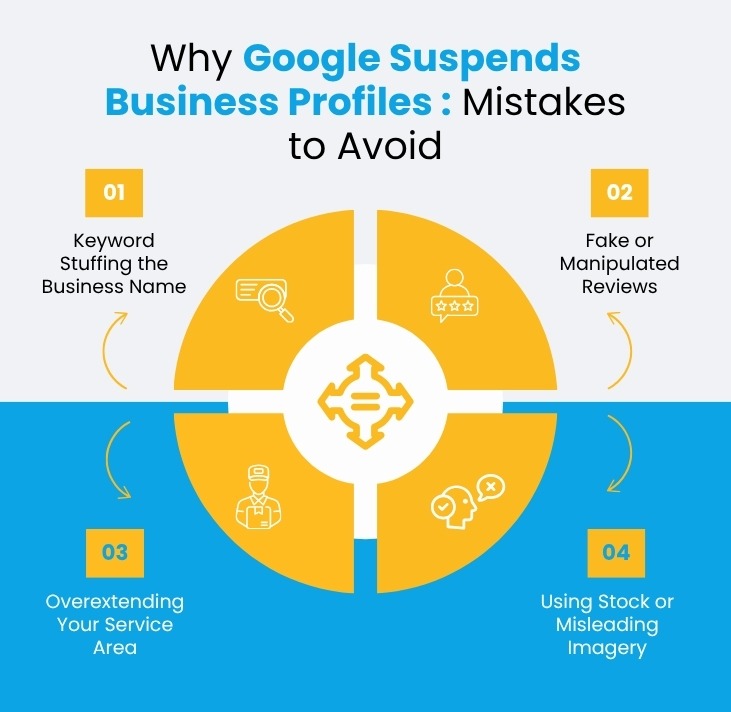
2. Keyword Stuffing the Business Name
It is tempting to add keywords to your business name to rank higher for specific services. For example, naming your listing “London Plumber 24/7 Emergency” rather than your actual registered name is a direct violation of Google’s guidelines.
How to fix it:
Google wants the name on your profile to match the real-world name on your shopfront, signage, and official documentation (such as Companies House records). Edit your business name to match your real-world branding exactly.
3. Creating Duplicate Listings
One business should have one profile. However, it is surprisingly common for businesses to end up with duplicates. This often happens when a company moves locations and creates a new listing instead of updating the old one, or when a marketing agency inadvertently sets up a second profile for a client.
How to fix it:
Google views duplicates as an attempt to manipulate local search results. If you operate a multi-location business, you are allowed one profile per staffed location. If you serve multiple areas from a single office, use the service area tool rather than creating multiple profiles for different towns.
4. Making Drastic or Sudden Edits
If you log into your dashboard and simultaneously change your business name, address, phone number, and category, you will raise a massive red flag. Google’s system views this as suspicious behaviour, often indicating that a listing has been hacked or is attempting to hijack the authority of an established profile.
How to fix it:
Make changes incrementally. If you are genuinely relocating or rebranding, space your updates out over a few weeks and ensure you have supporting evidence (like utility bills or updated signage photos) ready
5. Mismatched or Inconsistent Address Details
Your Google Business Profile address must be identical to the address listed on your website, social media channels, and local citations (like Yell or Thomson Local). In the UK, consistency is critical.
How to fix it:
If your website lists your unit number differently than your GBP, or if your address does not match your Companies House registration, you are creating a credibility gap. Conduct a full audit of your online presence. Update your website footer, contact page, and all social media profiles to match the address used on your GBP
6. Fake or Manipulated Reviews
Reviews are an essential component of local SEO, but seeking to game the system is a very risky approach. Attempting to purchase reviews, using friends and family as a means of review incentives, or even using fake reviewer accounts is almost certain to be detected.
How to fix it:
If you suspect that your account is being penalized for review manipulation, it is advisable to stop all review incentives. It is also advisable to flag any suspicious review for removal from Google. It is also important to seek genuine reviews through excellent service delivery.
7. Choosing Misleading or Overly Broad Categories
Categories assist Google in understanding what type of business you run. The biggest error in choosing a category is selecting one that does not relate to what your main business offers. An example of this is a mobile hairdresser choosing to be categorized as a ‘Consultant’ to appear in searches for a wider category.
How to fix it:
Your main category must be accurate. Although it is good to be detailed with additional categories for your specializations, be truthful about what your main business is.
8. Ineligible Business Models
Not every business qualifies for a Google Business Profile. Purely online businesses with no physical presence or defined service area are generally ineligible. This includes some drop-shipping operations and remote agencies that do not meet clients face-to-face.
How to fix it:
If your business model does not involve direct interaction with customers at a location or within a defined service area, creating a GBP is risky. Review Google’s eligibility guidelines carefully before investing time in a profile. For small businesses, such as independent estate agents or local telecom installers, the best small business search engine optimisation strategy starts with ensuring you actually qualify
9. Using Stock or Misleading Imagery
Visual content matters, but using generic stock photography can harm your credibility. Google prefers authentic imagery that represents your real-world location, team, and work.
How to fix it:
Replace any stock imagery with real photos. Upload images that show your storefront (with visible signage), your team at work, and genuine examples of your completed projects or services. For new profiles, the section on uploading high-quality photos in our pillar guide explains how to use visuals to build trust and engagement from the start.
10. Overextending Your Service Area
Service-area businesses (SABs) are allowed to define the regions they cover. However, there is a fine line between defining a realistic coverage zone and trying to dominate the map.
How to fix it:
Listing every major city in the UK when you are a single-location business based in Manchester is a clear red flag. Google expects your service area to reflect the geographic region you genuinely serve. Log into your dashboard and narrow your service area to a realistic radius or set of postcodes
What to Do If You Are Suspended
If your profile is suspended, do not panic, but act methodically. First, identify the likely cause from the list above. Gather evidence: photographs of your location (showing signage), recent utility bills, and proof of address that matches your business documents. You will need to submit a reinstatement request through the Google Business Profile support channel. Be patient and thorough, and clearly explain the corrections you have made.
Final Thoughts
Managing a Google Business Profile requires constant vigilance. For UK businesses whether you are offering telecommunications digital marketing services or digital marketing services for estate agents the profile is often the most visible part of your brand. A suspension can cut off your inbound traffic overnight, undoing months of hard work.
The common thread in almost all suspension cases is a deviation from Google’s core principles: trust, transparency, and accuracy. Shortcuts like keyword stuffing, fake reviews, or duplicate listings might offer a temporary boost, but they carry the long-term risk of losing your listing entirely.
Sustainable local SEO is not about exploiting loopholes; it is about building genuine authority. Keep your information consistent, follow the guidelines precisely, and treat your Google Business Profile with the same care you treat your website. By avoiding these 10 mistakes, you protect your visibility and ensure that your business remains findable to the customers who matter most.


