
IT operations require precision and speed. A poorly optimised service desk frustrates users, overwhelms support agents, and severely slows down incident resolution times. Teams need a robust IT Service Management (ITSM) platform to handle requests, track changes, and maintain infrastructure reliability.
A flawless jira service management configuration transforms a chaotic support queue into a streamlined, high-performing service engine. Built on the core Jira platform, Jira Service Management (JSM) enables IT, HR, and business teams to collaborate seamlessly and deliver value faster.
By the end of this guide, you will know exactly how to set up and optimise your service desk. We will explore the fundamental steps of setting up JSM, core best practices for immediate impact, advanced optimisation strategies for scaling teams, and the critical metrics you must track to ensure long-term success.
What is Jira Service Management and Why Does It Matter?
Jira Service Management serves as a central hub for managing IT and business service requests. It bridges the gap between development and IT operations, allowing teams to handle incidents, problems, and changes within a single platform.
A strong setup supports a wide range of use cases across an organisation. IT teams use it for hardware requests and outage tracking. Human Resources rely on it for employee onboarding and offboarding. Facilities teams manage maintenance requests and workspace access.
The core features that make JSM a vital ITSM tool include:
- • Flexible request and incident management workflows.
- • Strict Service Level Agreement (SLA) tracking.
- • Seamless knowledge base integration via Confluence.
- • Robust automation and approval capabilities.
- • Comprehensive asset and configuration management.
Understanding these features is the first step toward building a service desk that scales with your company.
Step-by-Step Jira Service Management Configuration
Your initial Jira configuration sets the foundation for your entire IT support strategy. Follow these critical steps to build a system that works for both your agents and your end-users.
Choose the Right Project Templates
Atlassian provides several out-of-the-box templates designed for specific use cases. Selecting the correct template saves hours of manual setup.
- • ITSM Template: Best for mature IT teams managing incidents, problems, changes, and service requests.
- • General Service Desk: Ideal for internal business teams like Legal, Marketing, or Facilities.
- • HR Service Management: Tailored specifically for employee life-cycle events like onboarding.
Choose the template that most closely matches your primary operational goal. You can always adjust workflows later.
Define Request Types and Issue Types
Request types dictate what the end-user sees in the customer portal. Jira Issue types dictate how the system classifies the work on the back end.
Map these carefully. For example, a user might see a request type called “Need a new laptop.” On the back end, agents see this tracked under the “Service Request” issue type. Keep customer-facing request types in plain language. If a user needs password help, name the request type “Reset My Password” rather than “Active Directory Credential Reset.”
Configure Smart Agent Queues
Queues organise incoming work so your agents know exactly what to tackle first. Avoid creating a single massive queue. Instead, group tickets logically based on urgency or specialization.
Effective queue structures include:
- • Triage Queue: Unassigned tickets awaiting initial categorisation.
- • SLA Risk Queue: Tickets with less than one hour remaining on their resolution timer.
- • Hardware Requests: Specific hardware provisioning tasks assigned to asset managers.
Keep the number of visible queues under ten per team to prevent agent overwhelm.
Establish Service Level Agreements (SLAs)
SLAs define your commitment to the business. They measure the target time for initial responses and full resolutions.
Configure your SLA timers to run only during your team’s actual working hours. Set up specific conditions to pause the timer when an agent waits for a customer to reply. This ensures your reporting remains accurate and fair to the support team.
Integrate a Knowledge Base
A service desk functions best when users can solve their own problems. Connect your JSM project to a Confluence space to create an integrated knowledge base.
When users type a request into the portal, the system automatically suggests relevant articles. If a user finds a guide on how to clear their browser cache, they can fix their issue immediately without ever submitting a ticket.
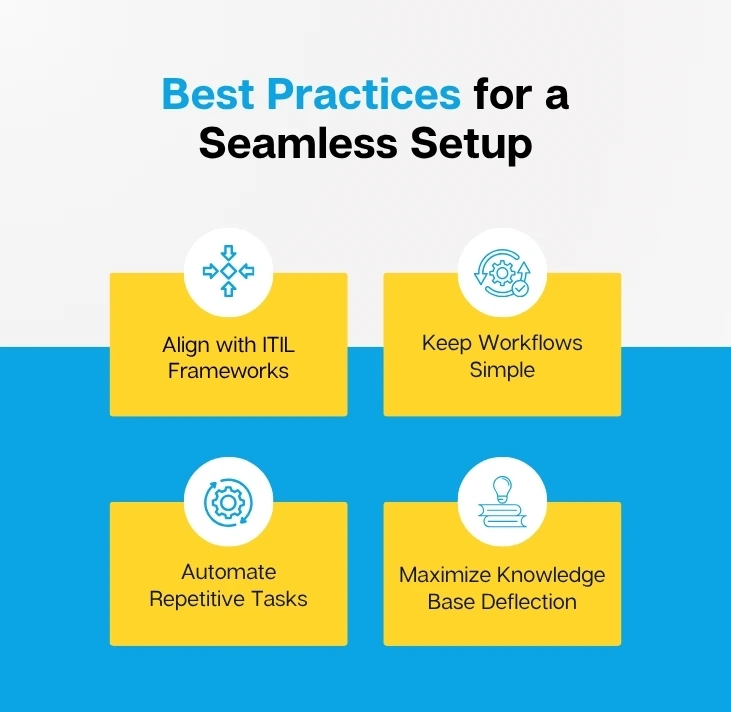
Best Practices for a Seamless Setup
Optimizing your jira service management configuration requires aligning your tool with proven industry methodologies. Use these best practices to reduce friction and improve service delivery.
Align with ITIL Frameworks
The Information Technology Infrastructure Library (ITIL) provides standardized practices for ITSM. Even if your organization does not strictly enforce ITIL, you should adopt its core ticket classifications: Incidents, Service Requests, Problems, and Changes.
Treating a broken server (Incident) the same as a request for new software (Service Request) distorts your metrics and confuses your staff. Separate these workflows to maintain clear operational boundaries.
Keep Workflows Simple
Complexity destroys efficiency. Avoid designing convoluted workflows with dozens of mandatory statuses.
A standard service request usually only needs a few statuses: Open, In Progress, Waiting on Customer, and Resolved. Use clear transition names so agents know exactly what happens when they click a button. If a process requires 15 clicks to close a simple password reset, redesign the workflow.
Automate Repetitive Tasks
Jira Automation is the easiest way to regain lost time. Use JSM’s native automation engine to remove manual data entry from your agents’ daily routines. Consider these high-value Jira automation rules:
- • Auto-assign critical priority tickets directly to the on-call engineer.
- • Automatically close tickets if a customer does not respond to a clarifying question within five days.
- • Send an automatic Slack or Microsoft Teams alert to a manager when an SLA breaches.
Maximise Knowledge Base Deflection
Knowledge base articles only work if they stay current. Assign technical writers or senior agents to review top-searched terms in your service desk monthly. If users frequently search for “VPN access” but no article exists, create one immediately. This proactive approach actively reduces incoming ticket volume.
Advanced Optimisation Strategies
A mature Jira service management configuration seamlessly integrates with other business tools and scales across multiple departments. Apply these advanced strategies to push your system to the next level.
Build Role-Based Dashboards
Data only matters if the right people see it. Create distinct dashboards for different roles within the organisation.
- • For Agents: Display their currently assigned tickets, items nearing SLA breach, and recently updated customer comments.
- • For Team Leads: Show unassigned ticket counts, agent workload distribution, and daily resolution rates.
- • For Executives: Highlight high-level metrics like overall customer satisfaction scores and major active incidents.
Segment Request Types Strategically
As you add more services to your portal, it can become difficult for users to navigate. Use Portal Groups to categorize request types into logical buckets.
Create groups like “Hardware,” “Software & Access,” and “Account Help.” This segmentation improves the user experience and ensures requests reach the correct team on the first try.
Automate Approvals for Low-Risk Requests
Do not force a manager to manually approve every single software request. Identify low-cost, low-risk requests and automate their approval.
For example, if an employee requests standard productivity software like Microsoft Word, build a rule that automatically transitions the ticket to “Approved” and notifies the deployment system. Save manual approvals for expensive hardware or high-security access requests.
Integrate with DevOps Tools
Modern IT operates closely with development teams. Connect JSM to Jira Software and Bitbucket to unify your workflows.
When a support agent identifies a bug reported by multiple customers, they can create a linked Jira Software issue for the engineering team directly from the JSM ticket. When the development team merges the code to fix the bug, JSM can automatically notify the waiting customers. This breaks down departmental silos and accelerates incident resolution.
Key Metrics to Track for ITSM Success
You cannot improve what you do not measure. Monitor these fundamental metrics to gauge the health of your IT operations.
SLA Adherence Rate
This metric shows the percentage of tickets resolved within the agreed-upon timeframe. A consistently low adherence rate indicates that your team is understaffed or your workflows are too complex.
First Contact Resolution (FCR)
FCR tracks how many issues your team resolves during the very first interaction. High FCR numbers mean your agents have the right tools, knowledge, and permissions to fix problems immediately, which dramatically boosts customer happiness.
Customer Satisfaction (CSAT)
Send a simple one-click survey after a ticket closes. CSAT measures the direct user experience. Pay close attention to negative reviews to identify specific agents needing more training or specific processes causing friction.
Mean Time to Resolution (MTTR)
MTTR measures the average time it takes to fully resolve a ticket. Track this trend over time. If you introduce a new automation rule, you should see your MTTR decrease.
Backlog Age
Monitor how long unresolved tickets sit in your queues. A growing backlog of old tickets signals that your team is ignoring difficult problems. Establish a routine to review and purge stale tickets regularly.
Conclusion
A well-planned Jira service management configuration empowers your IT teams to handle requests efficiently, maintain high infrastructure uptime, and deliver an excellent user experience. By choosing the right templates, streamlining workflows, automating low-value tasks, and tracking the right metrics, you build a resilient service desk that scales alongside your enterprise.
For organisations struggling to implement these strategies internally, partnering with a professional Jira consultancy can eliminate the guesswork. An experienced Jira consultancy firm will assess your current processes, build custom automated workflows, and ensure your system perfectly aligns with your specific business goals.
Review your current service desk queues today. Identify the single most common ticket type you receive, write a knowledge base article for it, and watch your incoming ticket volume drop.
