
In today’s digital landscape, having a strong online presence is essential for businesses of all sizes. Whether you run a small local shop, a real estate agency, or a telecom marketing company, your customers are likely searching for your services online before making a decision. One of the most powerful and free tools to increase visibility is a Google Business Profile (GBP).
A Google Business Profile allows your business to appear on Google Search and Google Maps, helping potential customers find important details such as your location, contact information, opening hours, reviews, and photos. A well-optimised profile can significantly improve local SEO and drive more traffic to your website or physical store.
In this comprehensive guide, we will explain how to create a Google Business Profile from scratch, optimize it effectively, and use it to strengthen your digital presence.
What Is a Google Business Profile?
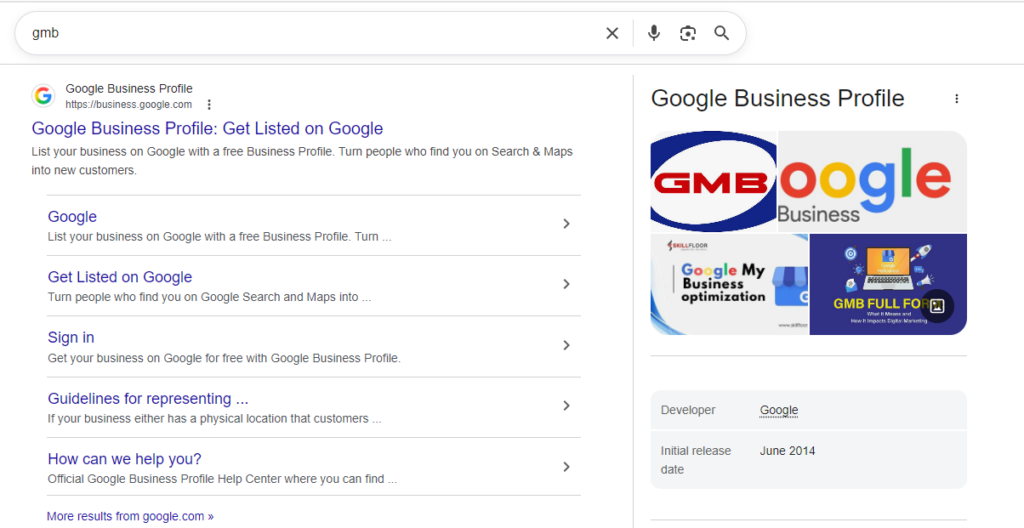
A Google Business Profile (formerly known as Google My Business) is a free listing provided by Google that enables businesses to appear in local search results. When someone searches for a product or service near them, Google often shows a local results panel with business listings, ratings, and directions.
A complete profile helps your business:
- ● Appear in local search results
- ● Show up on Google Maps
- ● Build credibility through customer reviews
- ● Provide accurate business information
- ● Increase website visits and customer enquiries
Businesses that maintain a complete profile are more likely to attract customers because they provide clear and reliable information about their services.
Why Google Business Profiles Are Important in 2026
With the rise of AI search and voice assistants, local business listings have become more important than ever. A Google Business Profile helps businesses remain competitive in industries experiencing rapid digital transformation, such as digital marketing in the telecom sector, AI in real estate marketing 2026, and digital marketing agencies for e-commerce.
For example:
- ● Telecom companies can improve visibility using best digital marketing for telecom strategies.
- ● Estate agents benefit from digital marketing services for estate agents to reach property buyers locally.
- ● Developers increasingly use digital marketing agencies for housing developers to attract property investors.
Because local search continues to evolve alongside telecommunications industry growth trends 2026, businesses that optimize their Google Business Profiles gain a competitive advantage in local markets.
Step 1: Create or Claim Your Google Business Profile
The first step is to create or claim your business listing on Google.
● Go to the official page:
https://www.google.com/business/ and click “Start Now.”
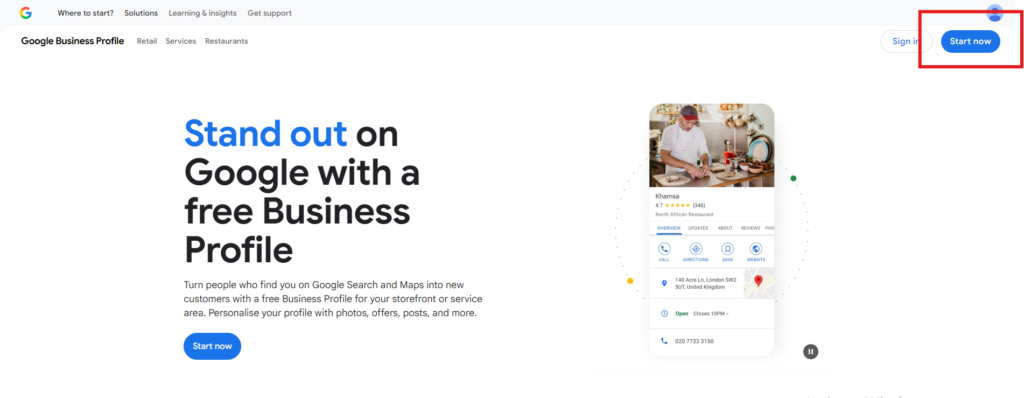
● Sign in with your Google account. It is recommended to use a business email address to keep ownership and account management organised.
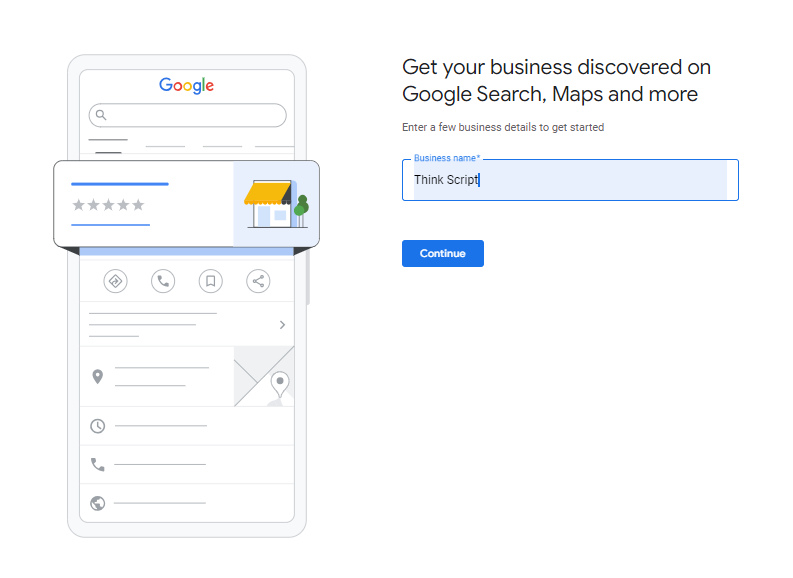
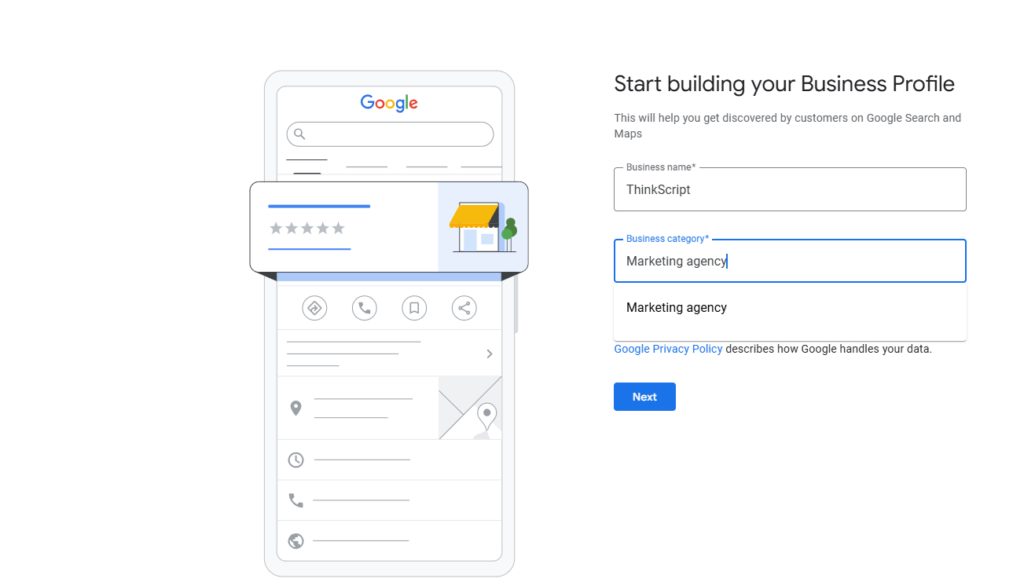
● Enter your business name exactly as it appears online, such as ThinkScript, and proceed with the setup process. If the business already exists on Google, you will have the option to claim the listing. If it does not appear, you can create a new profile.
● Use your official business name only. Adding extra keywords to the business name may violate Google policies and can result in suspension of the listing.
Step 2: Choose the Correct Business Category
The business category defines the primary service your organisation provides and helps Google determine when your profile should appear in search results.
● Select the category that best represents the services offered by ThinkScript. This improves visibility on Google Search and Google Maps when users search for services related to your industry.
● Additional categories can be added later if the business expands into other services.
Step 3: Add Your Business Location or Service Area
Google will ask whether customers visit your business location or whether you provide services at customer locations.
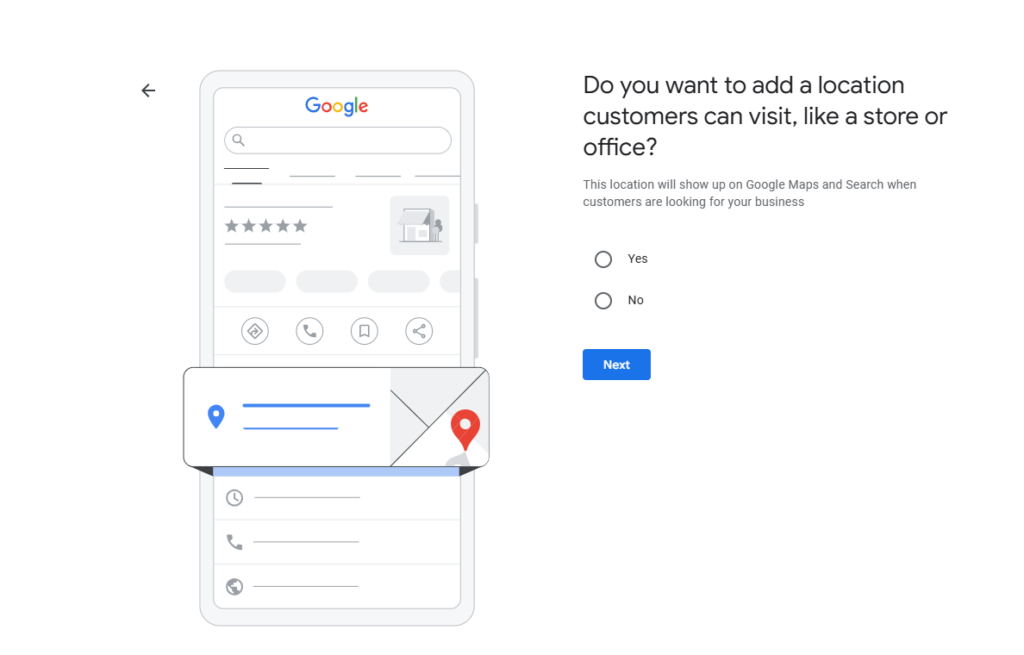
● Choose the option that accurately reflects how ThinkScript operates.
● If customers visit your office, enter the complete business address. If your business provides services remotely or at customer locations, select the service area option and add the regions where your services are available.
● Service-area businesses can define multiple regions, helping the listing appear in local searches within those areas.
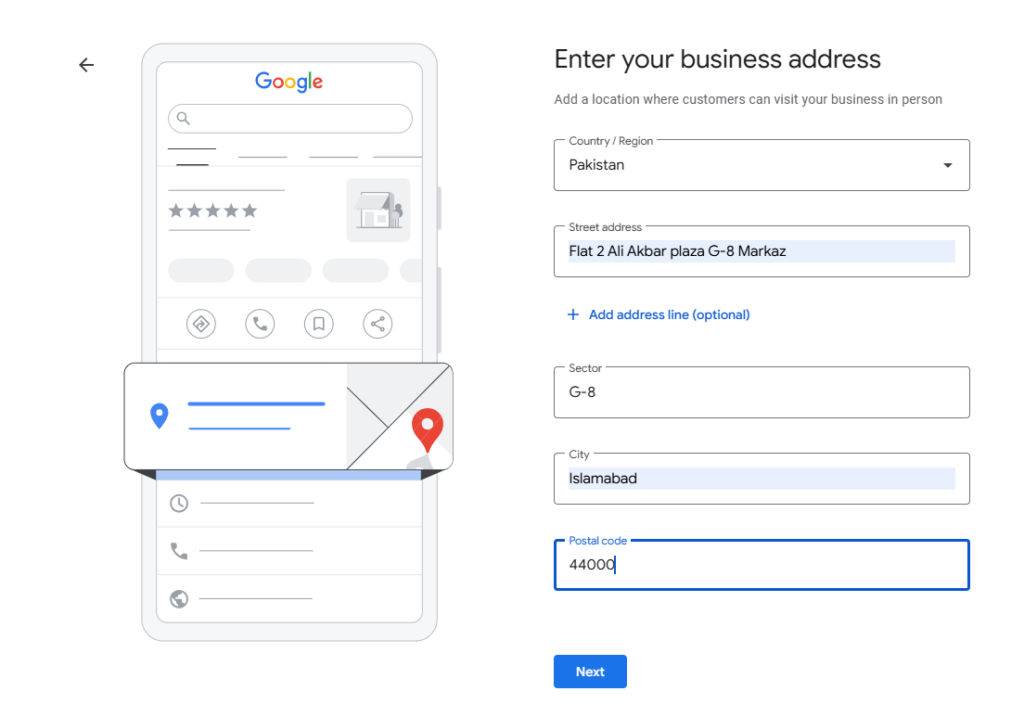
Step 4: Add Contact Information
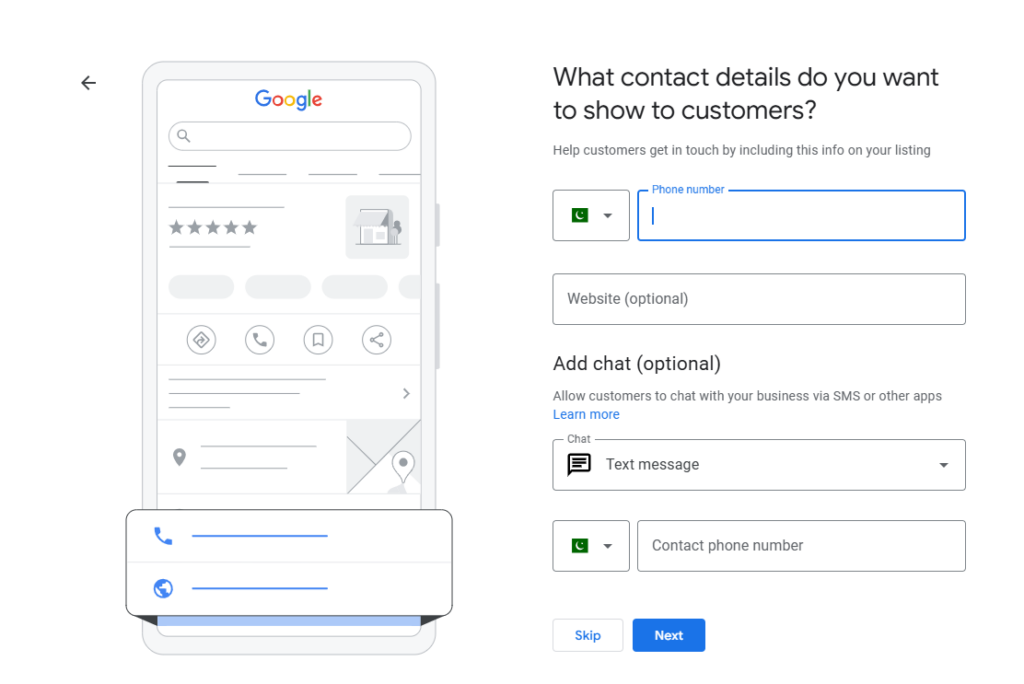
Providing accurate contact information helps customers reach your business easily and builds credibility.
Your profile should include:
● Business phone number
● Website URL
● Email address (optional)
● Messaging options if available
Ensure that the contact details listed for ThinkScript match the information displayed on your website and other online directories. Consistency strengthens trust and improves local search signals.
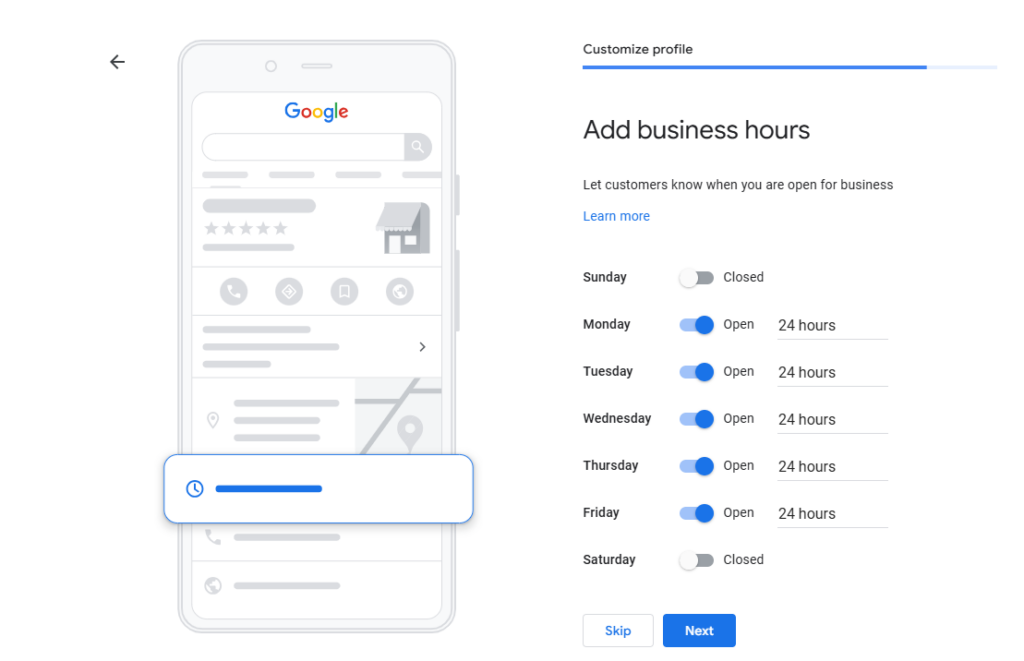
Step 5: Set Your Business Hours
Business hours inform customers when your organisation is available for enquiries or visits.
● Add your regular operating hours and update them whenever schedules change. You should also update holiday hours or temporary adjustments to avoid confusion for potential clients.
● Accurate hours help maintain trust and improve customer experience.
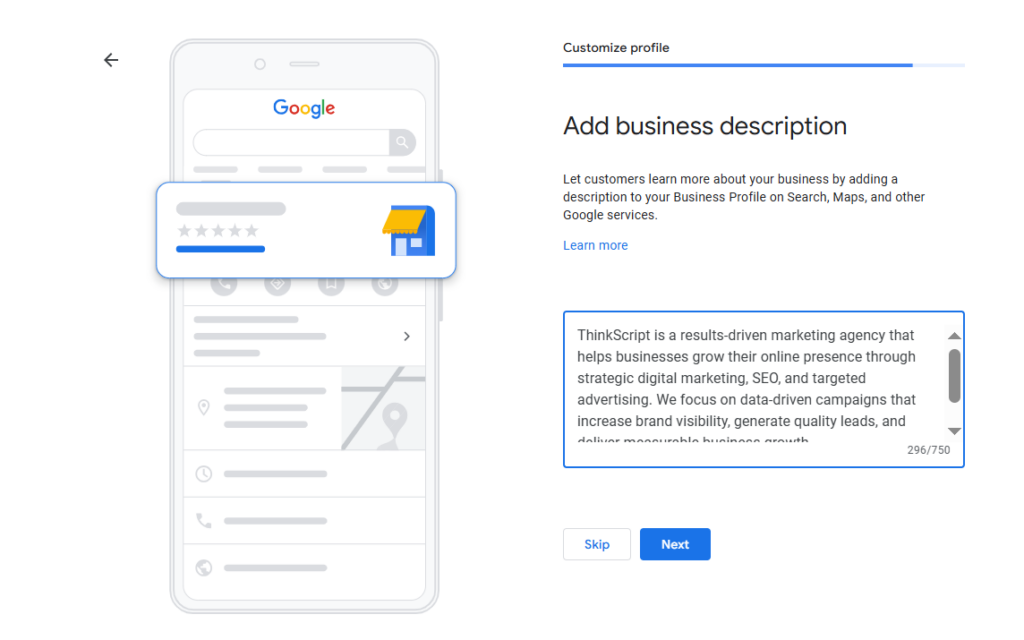
Step 6: Write an Optimised Business Description
The business description provides a short overview of your company and the services you offer. Google allows approximately 750 characters for this section.
● Write a clear description explaining the services provided by ThinkScript, your expertise, and the value you offer to clients.
● Include relevant keywords naturally without excessive repetition. The description should focus on clearly communicating your services while remaining informative and professional.
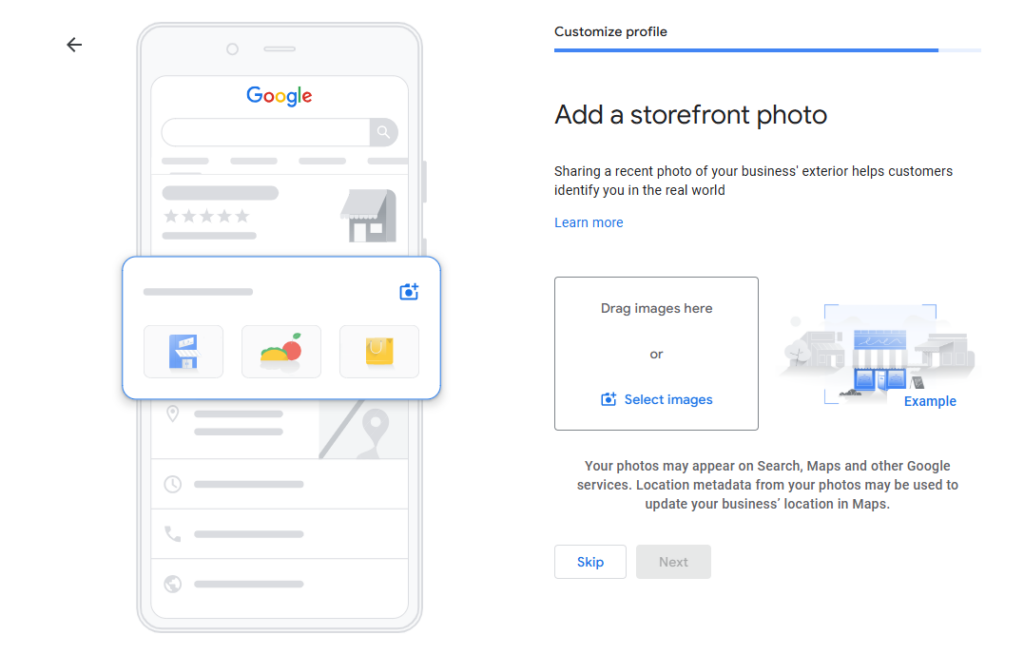
Step 7: Upload High-Quality Photos
Photos make your listing more engaging and encourage users to interact with your profile.
● Upload high-quality images that represent ThinkScript professionally. This may include branding visuals, workspace images, team photos, and images related to your services or projects.
● Businesses that regularly update photos often receive more engagement and visibility in local search results.
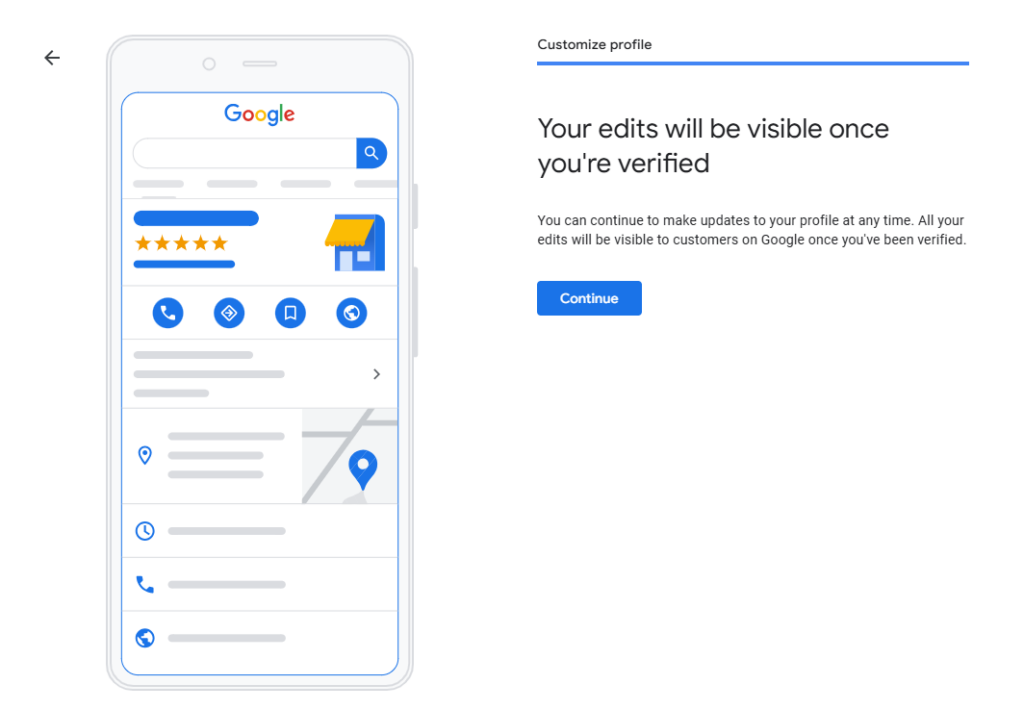
Step 8: Verify Your Business
Google requires verification to confirm that the business is legitimate before the profile becomes visible to the public.
● Verification methods may include postcard verification, phone verification, email verification, or video verification.
● Follow the instructions provided by Google and enter the verification code once received. After verification is complete, the ThinkScript profile will become active on Google Search and Google Maps.
Step 9: Optimise Your Profile for Local SEO
Creating the profile is only the first step. Continuous optimisation helps improve visibility in local search results.
● Ensure that your Name, Address, and Phone Number (NAP) remain consistent across your website, social media accounts, and online directories.
● Encourage customers to leave reviews and respond to them regularly. Reviews strengthen credibility and improve local rankings.
● Add detailed service information within the profile and publish regular updates such as announcements or company news. Consistent updates signal activity and help keep the ThinkScript profile visible in search results.
Common Mistakes to Avoid
Many businesses create a Google Business Profile but fail to optimise it properly.
Here are common mistakes:
- ● Using incorrect business categories
- ● Adding keyword-stuffed business names
- ● Leaving profiles incomplete
- ● Not responding to customer reviews
- ● Uploading poor-quality images
Completing every section of your profile increases the chances of ranking higher in local search results.
Future Trends in Local Search and Business Profiles
Local search continues to evolve as technology advances. Several trends will shape the future of Google Business Profiles.
1. AI-powered search
AI tools will analyse business data, reviews, and images to deliver more accurate recommendations.
2. Voice search optimisation
With the growth of smart assistants, voice queries such as “best digital marketing agency near me” are becoming more common.
3. Industry-specific marketing
Businesses in industries experiencing strong growth, including telecommunications industry growth trends 2026, will increasingly rely on local search strategies to attract clients.
Frequently Asked Questions
What is a Google Business Profile and why is it important?
A Google Business Profile is a free online listing that allows businesses to appear in Google Search and Google Maps results. It displays essential information such as your business address, contact details, website link, opening hours, and customer reviews. Having a properly optimised profile increases visibility in local searches and builds trust with potential customers. Businesses across multiple industries, including those involved in digital marketing in the telecom sector and digital marketing services for estate agents, use Google Business Profiles to attract local clients and improve their online credibility.
How long does it take to create a Google Business Profile?
Creating a Google Business Profile usually takes only a few minutes, but the verification process can take several days depending on the verification method. In most cases, Google sends a verification postcard to the business address, which typically arrives within five to seven days. Once the verification code is entered, the business profile becomes active and visible in Google Search and Maps.
Can I create a Google Business Profile without a physical address?
Yes, it is possible to create a profile without displaying a physical storefront. Service-based businesses such as marketing consultants, telecom marketing specialists, or agencies providing best digital marketing for telecom services can choose the service-area option. This allows the business to specify the locations it serves rather than showing a physical office address to the public.
How do customer reviews affect a Google Business Profile?
Customer reviews are one of the most important factors influencing local search rankings and customer trust. Positive reviews improve credibility and encourage potential customers to contact the business. Responding to reviews, whether positive or negative, demonstrates professionalism and engagement. Businesses in competitive markets such as digital marketing agencies for ecommerce or companies involved in AI in real estate marketing 2026 often rely on strong review profiles to differentiate themselves from competitors.
Can I manage my Google Business Profile from a mobile phone?
Yes, Google Business Profiles can be managed directly from a smartphone using the Google Search interface or Google Maps. Business owners can update information, upload photos, respond to reviews, and publish updates from their mobile devices. This flexibility makes it easier to keep the profile updated and active, which helps improve visibility in local search results.
How often should a Google Business Profile be updated?
A Google Business Profile should be updated regularly to ensure that all information remains accurate. Businesses should update opening hours, contact information, and services whenever changes occur. Adding new photos, responding to reviews, and posting updates every few weeks helps maintain an active profile. Regular activity signals to Google that the business is legitimate and engaged with its customers.
Is a Google Business Profile useful for digital marketing agencies?
Yes, a Google Business Profile is extremely valuable for digital marketing agencies and online service providers. Agencies working with sectors such as telecom, ecommerce, or property development benefit from local visibility when potential clients search for services nearby. For example, agencies specialising in digital marketing agencies for housing developers or telecom marketing strategies can use their profile to showcase reviews, services, and case studies that attract new business enquiries.
Final Thoughts
Creating a Google Business Profile from scratch is one of the simplest and most effective ways to improve your online visibility. By providing accurate information, uploading engaging photos, collecting customer reviews, and optimising your listing regularly, you can significantly increase your chances of appearing in local search results.
For businesses operating in competitive sectors such as digital marketing in telecom sector, AI in real estate marketing 2026, and digital marketing agencies for ecommerce, a well-optimised profile can generate valuable leads and strengthen brand credibility.
If you want to grow your business online, setting up and maintaining a Google Business Profile should be a top priority in your digital marketing strategy.


